SLOs for small teams have a reputation problem: they look like something only Google can afford to run. They aren’t.
Ask most teams what their reliability target is and you get “99.9% uptime.” Ask what that measures, and the conversation gets vague. Uptime of what? Measured from where? Does a page that loads in twelve seconds count as up?
That vagueness is why the number never changes any decision. A reliability target that doesn’t tell you what to work on next week isn’t a target, it’s a slogan.
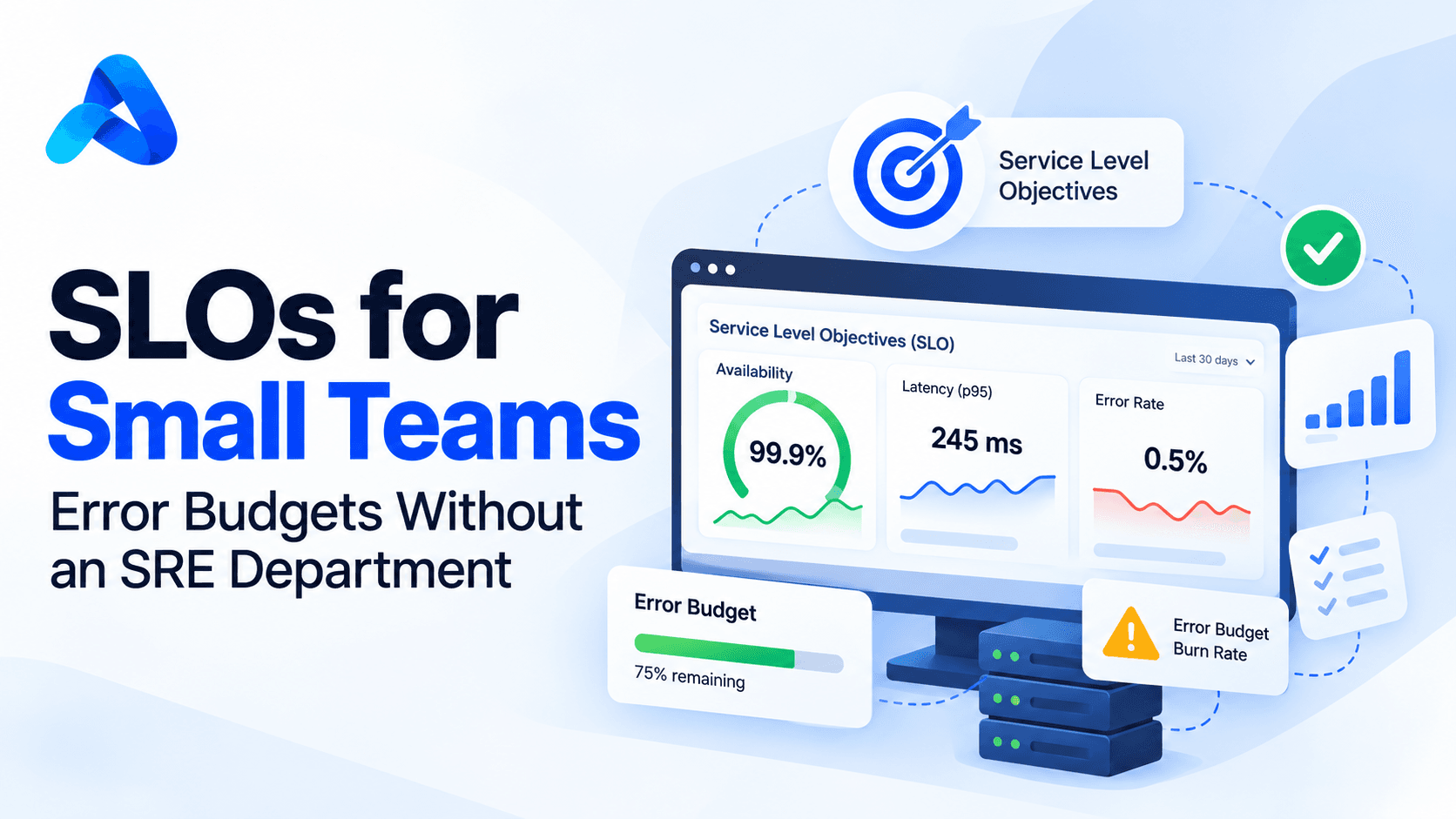
Service Level Objectives fix this, and the usual objection is that SLOs are a Google thing requiring a dedicated SRE organisation. They aren’t. A four-person team can run meaningful SLOs on two metrics per service. Here’s how small teams can set SLOs, spend an error budget and alert on burn rate, without the ceremony.
The three terms, quickly
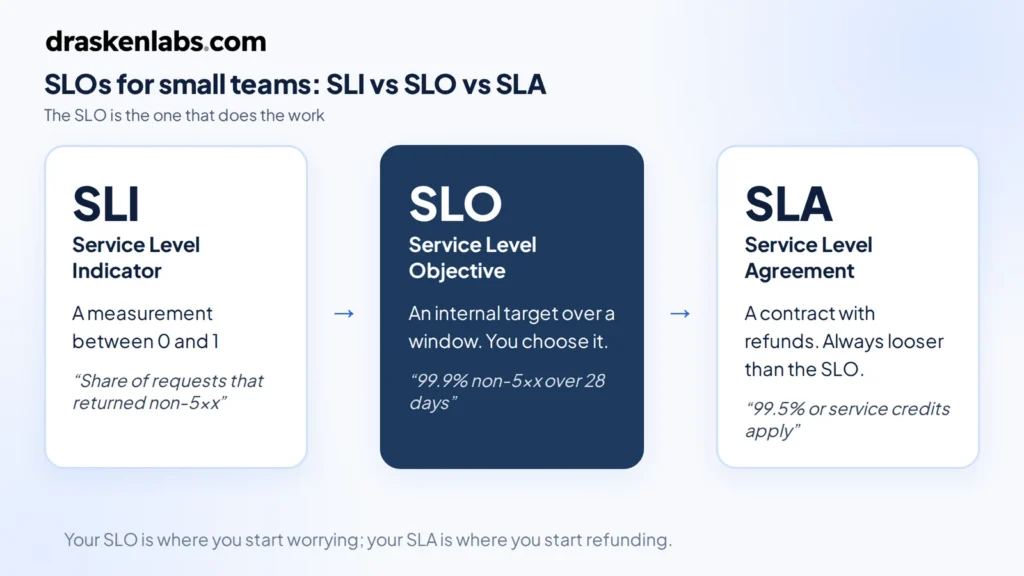
SLI — Service Level Indicator. A measurement. “The proportion of HTTP requests that returned a non-5xx status.” A number between 0 and 1.
SLO — Service Level Objective. A target for that measurement over a window. “99.9% of requests return non-5xx, measured over 28 days.” Internal. You choose it.
SLA — Service Level Agreement. A contractual promise to a customer, with financial consequences. Set it looser than your SLO, always. Your SLO is the line where you start worrying; your SLA is the line where you start refunding. If they’re the same number, you find out about problems from your customers’ lawyers.
The one that does the work is the SLO.
The error budget is the whole point
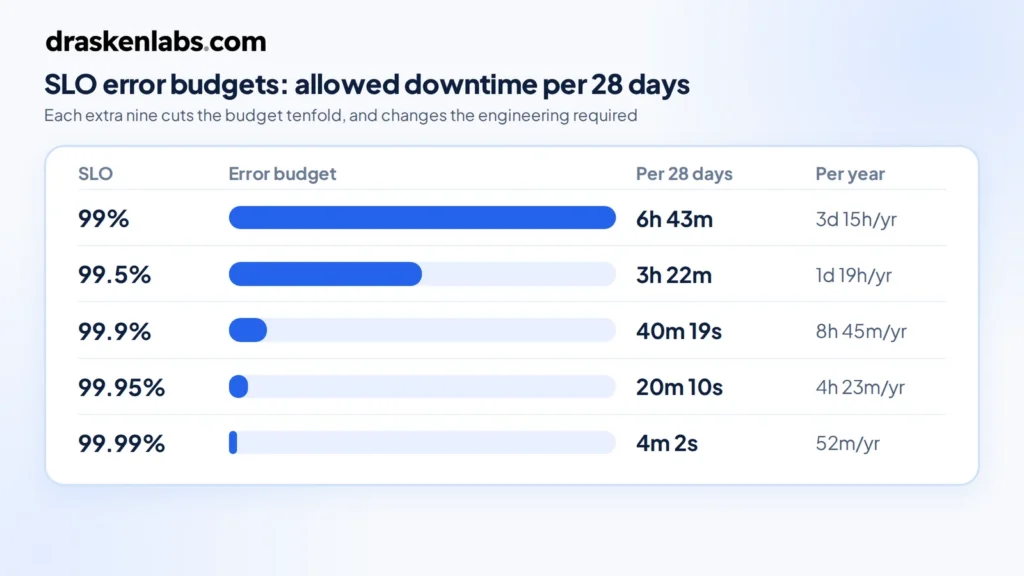
If your SLO is 99.9% over 28 days, you are explicitly saying that 0.1% failure is acceptable. That 0.1% is your error budget, and turning it into time makes it concrete:
| SLO | Downtime per 28 days | Per year |
|---|---|---|
| 99% | 6h 43m | 3d 15h |
| 99.5% | 3h 22m | 1d 19h |
| 99.9% | 40m 19s | 8h 45m |
| 99.95% | 20m 10s | 4h 23m |
| 99.99% | 4m 2s | 52m |
Look at 99.99% for a moment. Four minutes a month. That is less time than it takes a human to read a page, open a laptop, and log in. Hitting four nines means automated failover with no human in the loop, multi-region redundancy, and deployment practices that make bad releases nearly impossible. It is a different engineering budget entirely, not a slightly better version of three nines.
This is the first thing an error budget does for you: it makes reliability targets cost something, so they stop being chosen by whoever wants to sound most ambitious in the meeting.
The second thing is that it reframes reliability work as a resource rather than a virtue. You have not “failed” if you consumed 60% of your budget. You have used a resource you were allocated, buying deployment velocity with it. Budget remaining means ship faster. Budget exhausted means stop and fix. That’s a decision rule, which is more than “we value reliability” ever gave you.
Choosing SLIs that mean something
Two rules cover most of it.
Measure what the user experiences, not what the server reports. CPU utilisation is not an SLI. Neither is memory, disk, or pod restart count. Those are diagnostics — useful once something is wrong, useless as a definition of “wrong.” A service can be at 95% CPU and perfectly healthy, or at 5% CPU and completely broken.
Never use averages for latency. Average response time is the single most misleading metric in production. If 95% of requests take 50ms and 5% take 30 seconds, your average looks acceptable and one in twenty of your users is furious. Use a threshold instead: the proportion of requests completing under 500ms. Now it’s a ratio, it composes with your availability SLI, and it can’t hide a tail.
For most request-serving services, two SLIs is the right number:
- Availability: successful requests ÷ valid requests
- Latency: requests under threshold ÷ valid requests
“Valid requests” matters. Exclude 4xx client errors from availability — a user sending a malformed request is not your service failing. Exclude health checks and synthetic traffic, or you’ll dilute your own signal with things no user ever touches.
For non-request workloads, adapt the shape rather than the concept. Data pipelines: freshness, “the proportion of hours where output was less than 15 minutes stale.” Queue consumers: “the proportion of messages processed within 30 seconds of enqueue.” Batch jobs: completion within the expected window.
Setting the target: measure first, then decide
The most common failure is picking a target aspirationally. Someone says 99.9%, everyone nods, and three weeks later you’re missing it constantly, alerts are firing, and the team has learned to ignore them.
Do it the other way round. Instrument the SLI, collect four weeks of data, and look at what you actually deliver. If you’re currently at 99.5%, set the SLO at 99.5%. Not 99.9%.
That feels like cheating. It isn’t. The job of SLOs is to tell you when something has changed for the worse. A target you meet 99% of the time does that. A target you miss constantly tells you nothing except that you set it badly, and it trains your team to ignore the signal — which is a genuinely expensive thing to teach people.
Once you’re comfortably meeting it, tighten it. Reliability targets should ratchet.
The other half of the question is what your users actually need. A B2B tool used during Indian business hours has a different profile than a payments API. If your customers barely notice a two-minute blip, three nines may be more than they’re paying for, and the engineering effort is better spent elsewhere. Reliability beyond what users perceive is money you have set on fire.
Burn rate alerting, not threshold alerting
This is where SLOs stop being documentation and start improving your on-call.
The naive approach is to alert when one of your SLOs is breached. Too late — you’ve already spent the budget. The slightly-less-naive approach is to alert on any error rate above zero, which pages you at 3am for a blip that consumed four seconds of a forty-minute budget.
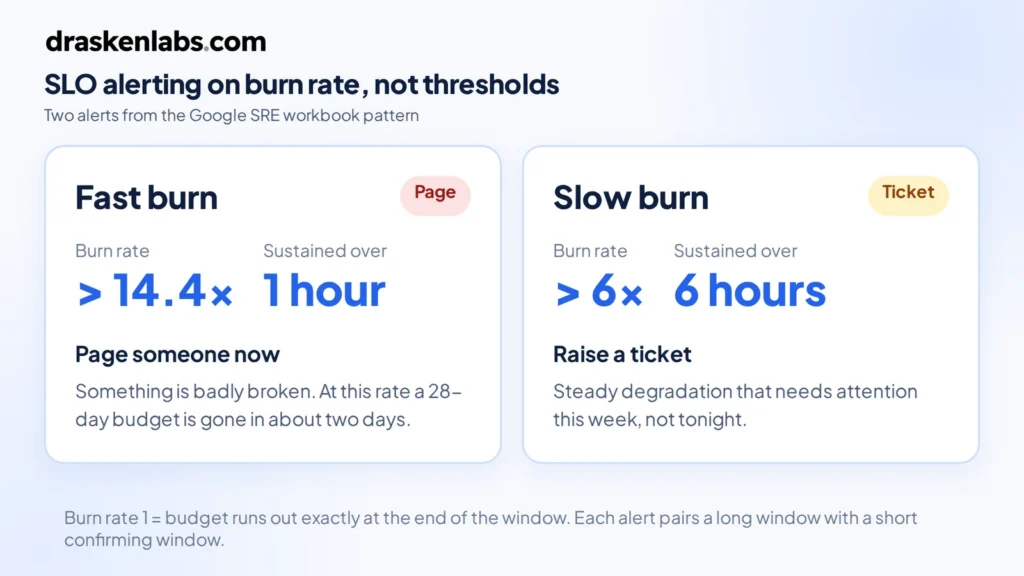
Burn rate solves this. Burn rate is how fast you’re consuming the error budget relative to the rate that would exhaust it exactly at the end of the window. Burn rate 1 means you’ll finish the month right on target. Burn rate 14.4 means you’ll exhaust a 28-day budget in about two days.
The standard pattern, from the Google SRE workbook, uses two alerts:
- Fast burn: burn rate above 14.4 sustained over 1 hour → page someone. Something is badly broken right now.
- Slow burn: burn rate above 6 sustained over 6 hours → raise a ticket, don’t page. Something is degrading steadily and needs attention this week, not tonight.
Each alert uses two windows — a long one for signal and a short one to confirm the problem is still happening — so alerts resolve when the incident does rather than lingering.
The practical effect is that your pager fires on user-visible harm, proportional to severity. A brief spike that costs you thirty seconds of budget doesn’t wake anyone. A sustained failure does, immediately. Most teams we work with cut their page volume by more than half in the first month after switching, which does more for reliability than any dashboard, because a team that trusts its pager investigates instead of dismissing.
The error budget policy
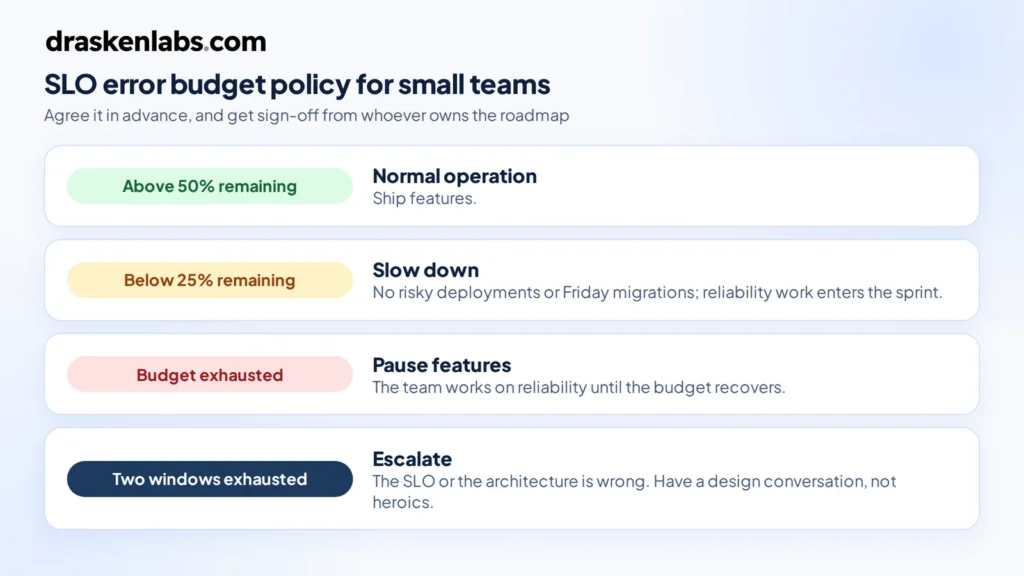
An error budget without an agreed consequence is a chart nobody looks at. Write down, before you need it, what happens at each threshold. One page is enough:
- Budget above 50% remaining: normal operation. Ship features.
- Below 25%: no risky deployments. No schema migrations on Friday. Reliability items get pulled into the sprint.
- Exhausted: feature work pauses. The team works on reliability until the budget recovers.
- Two consecutive windows exhausted: the SLO was wrong or the architecture is inadequate. Escalate to a design conversation, not more heroics.
The value here is that it’s agreed in advance, in calm conditions. Arguing about whether to pause the roadmap during an outage is a bad time to first discover that engineering and product have different views.
Get explicit sign-off from whoever owns the roadmap. An error budget policy that engineering wrote alone is a policy that gets overruled the first time it’s inconvenient.
Where teams go wrong
Too many SLOs. Every service, four indicators each, thirty dashboards nobody reads. Start with your two or three most important user-facing services and one or two SLIs each. That is enough to change behaviour, which is the only test that matters.
SLOs on internal services. If a user never touches it directly, its reliability matters only through its effect on something they do touch. Measure the user-facing thing. Internal service health is a diagnostic.
A 100% target. Not achievable, and it destroys the mechanism. Zero error budget means every deploy is a violation, so the concept gets abandoned within a month.
Never revisiting them. Traffic patterns change, architectures change, user expectations change. Review targets quarterly.
Tracking without acting. The most common outcome by far. A beautiful Grafana dashboard, burn-rate alerts wired up, and no agreed consequence when the budget goes. It becomes decoration. The policy is not the boring part of SLOs, it’s the entire point.
Making SLOs work for small teams in practice
You don’t need a platform team. On a Prometheus and Grafana stack: recording rules to compute the SLI ratios, multi-window burn-rate alerts in Alertmanager, one Grafana panel per SLO showing budget remaining. Sloth generates the rules from a short YAML spec if you’d rather not hand-write them, and OpenSLO gives you a vendor-neutral format if you expect to move backends. Datadog, Grafana Cloud, and Honeycomb all have native support for SLOs if you’re already paying for one.
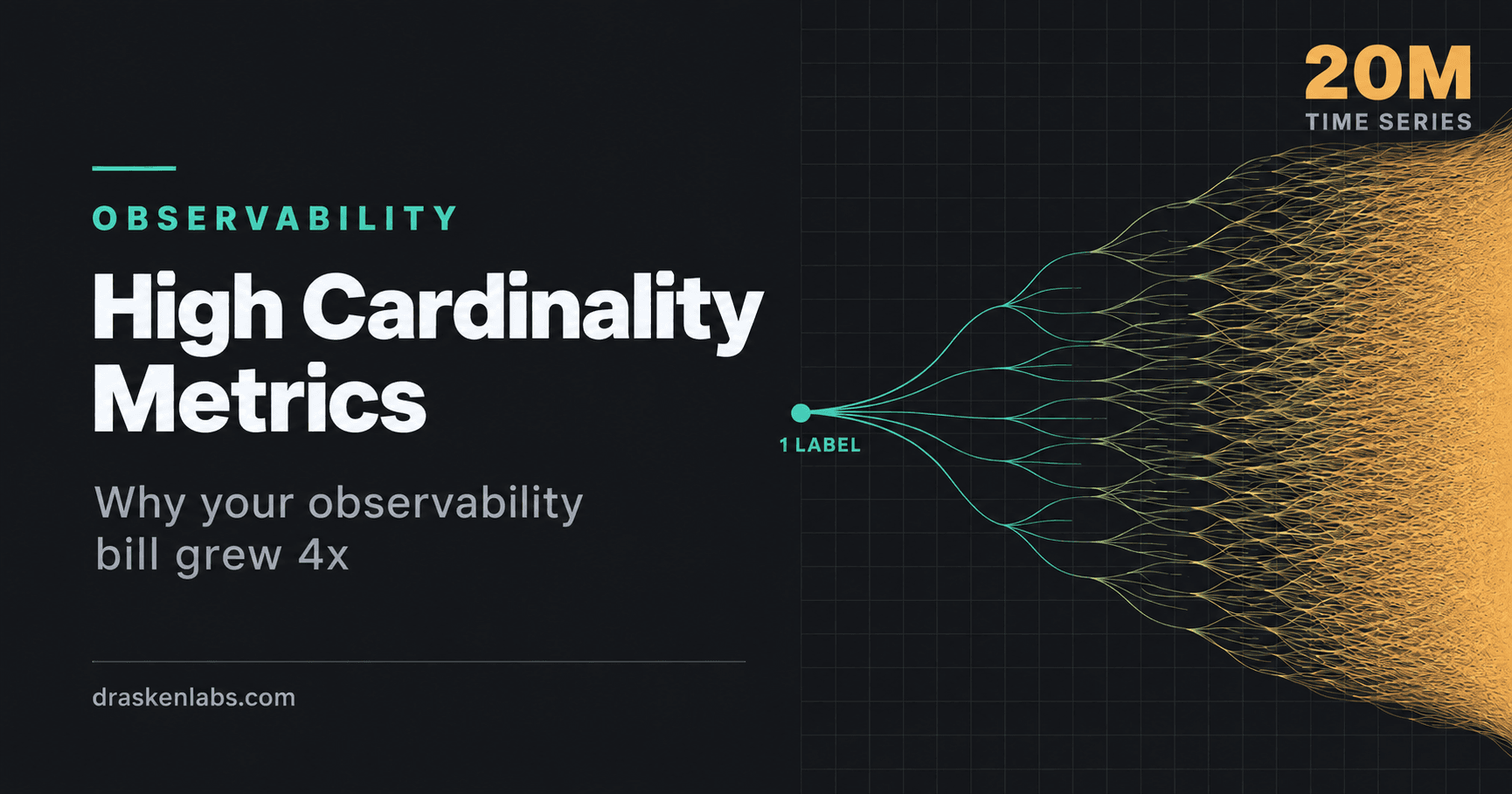
The instrumentation matters more than the tooling. Your SLIs are only as good as the data underneath them, which is a question of how you’ve instrumented your services and how much of that data you can afford to keep — the cardinality problem that quietly determines what your observability stack costs.
We took one healthtech client from no coverage across 200+ microservices to full instrumentation with SLOs and burn-rate alerting in under two weeks, cutting mean time to detect below two minutes. The instrumentation was the fast part. Agreeing what “good” meant for each service took longer, and mattered more.
If your alerts fire constantly and nobody trusts them, that’s usually an SLO problem wearing a monitoring costume. Tell us what you’re running and we’ll take a look — it’s the core of our observability work.
Sources and further reading
- Service Level Objectives — Google SRE Book
- Implementing SLOs — The Site Reliability Workbook
- Alerting on SLOs — The Site Reliability Workbook (source of the burn-rate pattern)
Written by
Suraj Kumar Aggarwal · Founder
Suraj Kumar Aggarwal is the founder of Drasken Labs, a Delhi NCR engineering firm building and operating custom software, cloud infrastructure, and observability for startups and scale-ups. He writes about the operational side of engineering — what systems cost, where they break, and how to see problems before customers do.