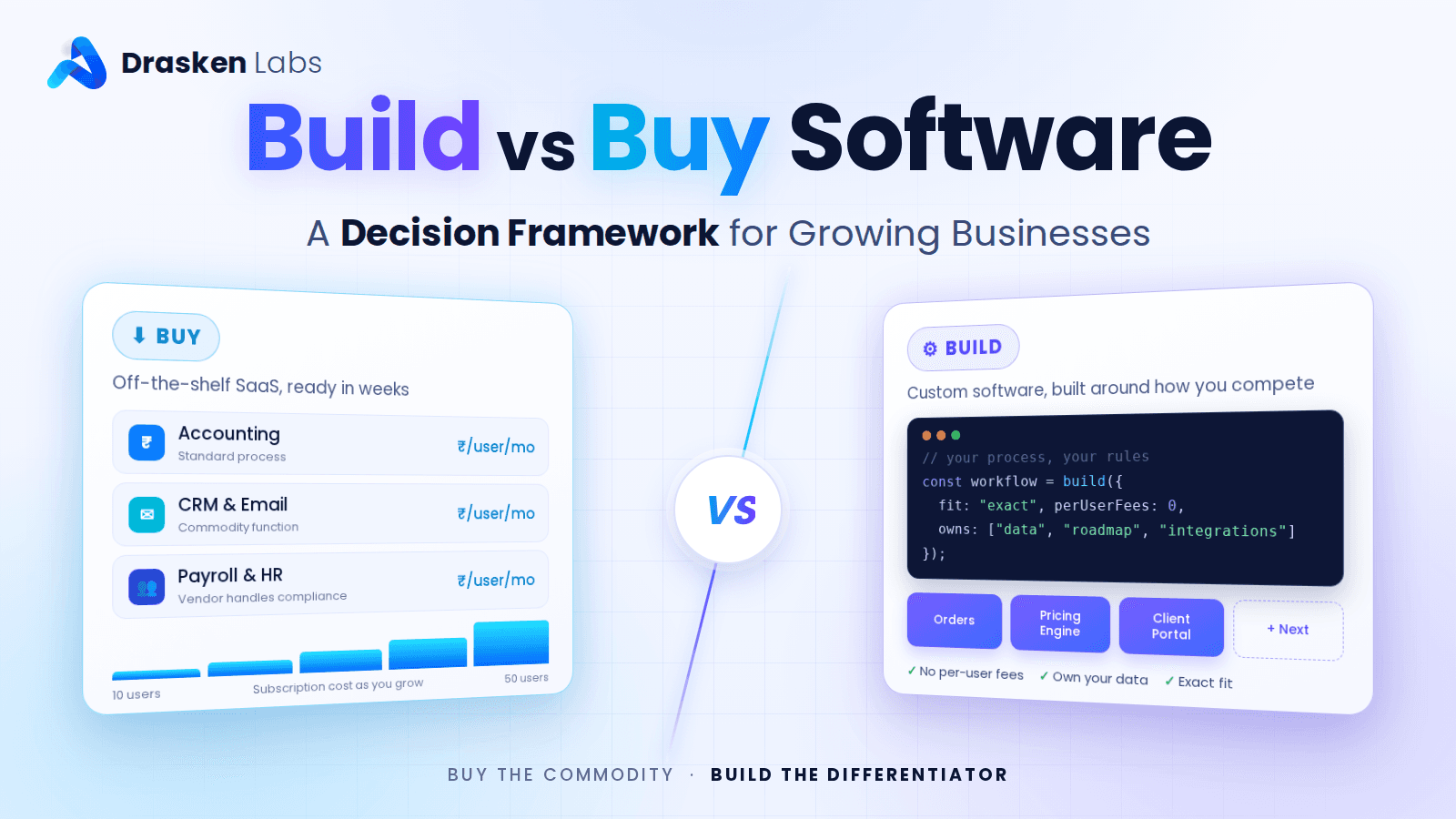
For a growing business, the build vs buy software decision comes down to one question: does this software support how you compete, or how you operate? Buy off-the-shelf software for standard functions every business needs, such as accounting, payroll, email and basic CRM. Build custom software when the process is what makes you different, when off-the-shelf tools force you into costly workarounds, or when subscription costs across users and tools start exceeding what it would cost to own the system.
Most businesses end up with a mix: bought software for commodity functions, and custom software for the workflows and integrations that are specific to them. This guide gives you a framework to decide which is which, including the costs most comparisons leave out.
Build vs Buy Software: The Short Version
| Buy when… | Build when… |
|---|---|
| The process is standard across businesses (accounting, payroll, email) | The process is how you win customers or deliver your service |
| A mature product does 80% or more of what you need | Every tool you try needs heavy workarounds or several products stitched together |
| You need it working in weeks | You can invest months for a long-term advantage |
| You have few users and simple needs | Per-user subscriptions across a growing team are getting expensive |
| Compliance and updates are handled better by a specialist vendor | You need control over data, integrations, roadmap or where the data lives |
The Real Cost of Buying
Off-the-shelf software looks cheap because the price is on the website. The full cost includes much more:
- Subscriptions that scale with you. Per-user pricing is fine for five people and painful for fifty. Add-ons, higher tiers and usage limits push it further.
- Workarounds. Spreadsheets, manual re-entry and staff time spent bridging gaps between what the tool does and what you need.
- Integration costs. Connecting several products usually needs connector tools, middleware or developer time anyway.
- Switching costs. Your data, processes and training are tied to the vendor. Leaving later is often expensive.
- Price and product changes. The vendor controls pricing, features and roadmap, and can change any of them.
The Real Cost of Building
Custom software has a larger upfront cost and a longer timeline. It also carries ongoing costs that must be planned for:
- Initial development, from discovery and design to development, testing and launch
- Hosting and infrastructure, which you pay for directly
- Maintenance, typically 15–25% of the build cost each year for updates, security patches and fixes
- Ongoing improvements as your business changes
- Dependence on your development team, which makes documentation, code ownership and a good partner essential
In return you get software that fits your process exactly, no per-user fees, and full control over data, integrations and roadmap. Our guide to custom software development services explains what a typical engagement includes.
A Five-Question Build vs Buy Decision Framework
1. Is this process a differentiator or a commodity?
If a customer would never notice or care how you do it, as with payroll or bookkeeping, buy. If it shapes the customer experience, your speed, your pricing or your delivery, building may give you an advantage competitors cannot buy. Martin Fowler describes this as the utility vs strategic dichotomy.
2. How well does the best available product fit?
Test the leading options against your real workflows, not their demos. If the best fit covers most of what you need with configuration, buy. If you need three products plus spreadsheets to cover one process, that is a signal to build.
3. What is the five-year total cost?
Work out the total cost of ownership of each option over five years. Compare subscriptions for your projected team size, plus integration and workaround costs, against build cost plus hosting and maintenance. For many growing businesses, custom software becomes cheaper somewhere between year two and year four, while bought software stays cheaper for small teams with standard needs.
4. How important is control?
Consider data ownership and location, the ability to integrate with any system, and freedom from a vendor’s pricing and product decisions. Regulated industries and businesses with sensitive data often weigh this heavily.
5. Can you support what you build?
Custom software needs a team to maintain it, in-house or with a development partner. If you cannot commit to that, buy, or build something much smaller.
A Worked Example: Five-Year Cost
A 40-person service business compares a field-service SaaS product with a custom system:
| Buy (SaaS) | Build (custom) | |
|---|---|---|
| Upfront | ₹1 lakh setup and data migration | ₹18 lakh build |
| Yearly licences or hosting | ₹2,500 per user per month = ₹12 lakh a year | ₹1.5 lakh hosting a year |
| Yearly integrations and workarounds | ₹3 lakh | Included in the build |
| Yearly maintenance | Included in subscription | ₹3.6 lakh (20% of build) |
| Five-year total | About ₹76 lakh | About ₹44 lakh |
With 10 users instead of 40, the SaaS cost falls to about ₹31 lakh over five years and buying wins. The numbers are illustrative; the point is to run them for your own team size, growth and requirements.
The Hybrid Approach Most Businesses Should Take
Build versus buy is rarely all or nothing. The most cost-effective setups usually:
- Buy standard software for accounting, payroll, email, documents and communication
- Build the core workflows that differentiate the business
- Build integrations that connect bought tools so data flows without manual work
- Add targeted automation to remove repetitive steps between systems
Integration and automation often deliver most of the value of a custom system at a fraction of the cost, and our AI and automation team builds it.
The same logic applies to infrastructure. Running WhatsApp messaging at scale, for example, is something most businesses should buy as a platform, such as WA Console, while building the business logic that decides what to send and when.
Warning Signs You Made the Wrong Choice
Signs you should have built:
- Staff spend hours a week copying data between tools
- You have changed your process to fit the software rather than the other way round
- Subscription costs rise faster than revenue
- You cannot get the reports or integrations you need at any price tier
Signs you should have bought:
- Your team is maintaining custom software for a standard function like invoicing or HR
- The custom system is years behind comparable products and nobody has time to improve it
- Only one developer understands how it works
If You Decide to Build
- Start with the core workflow, not every feature. Launch, use it, then extend it.
- Own everything: source code, cloud accounts, domains and data.
- Choose the right contract model. Fixed price suits a tightly defined first version, while time and material suits products that will evolve.
- Plan for maintenance from day one in both budget and team.
- Pick a partner, not just a coder. Our comparison of freelancers and development companies covers what to check.
Final Thoughts on Build vs Buy Software
Buy software for what every business does. Build software for what makes your business different, or when bought tools cost more in subscriptions and workarounds than owning the system would. Run a five-year cost comparison for your own numbers, and consider a hybrid of bought tools, custom core workflows and integrations before committing to either extreme.
Weighing a custom build against off-the-shelf software?
The Drasken Labs team can review your workflows and tools, estimate the five-year cost of each option, and recommend what to buy, what to build and what to integrate. See our custom software development services.
Frequently asked questions
Should I build or buy software for my business?
Buy off-the-shelf software for standard functions such as accounting, payroll and email. Build custom software when the process differentiates your business, when available tools need heavy workarounds, or when subscription costs across your team exceed the cost of owning a system.
Is custom software cheaper than SaaS in the long run?
It can be. For larger or growing teams, per-user subscriptions plus integration and workaround costs often exceed the cost of building and maintaining custom software within two to four years. For small teams with standard needs, SaaS usually stays cheaper.
What are the hidden costs of off-the-shelf software?
Per-user pricing that grows with your team, add-ons and higher tiers, staff time spent on workarounds, integration tools and development, and the cost of switching vendors later.
What are the ongoing costs of custom software?
Hosting and infrastructure, plus maintenance of roughly 15–25% of the build cost each year for updates, security patches and fixes, and budget for new features as the business changes.
Can I combine custom and off-the-shelf software?
Yes, and most businesses should. A common approach is to buy standard tools, build the core workflows that differentiate you, and build integrations so data flows between them automatically.
Written by
Aarav Mehta
Aarav Mehta writes for the Drasken Labs blog on cloud infrastructure, Kubernetes, observability, and practical engineering decisions for growing businesses. Articles are reviewed by the Drasken Labs engineering team before publishing.